Work with your Bot in Gravity Rail
Try a short report in a private Chat. Start with figures you supply yourself, then ask the Bot to work with a File you can open in your Workspace.
Check a report with known numbers
-
In the Organization menu, open Bots and select your Bot. If an earlier Chat opens, choose New Chat to keep this exercise separate.
-
Send this message:
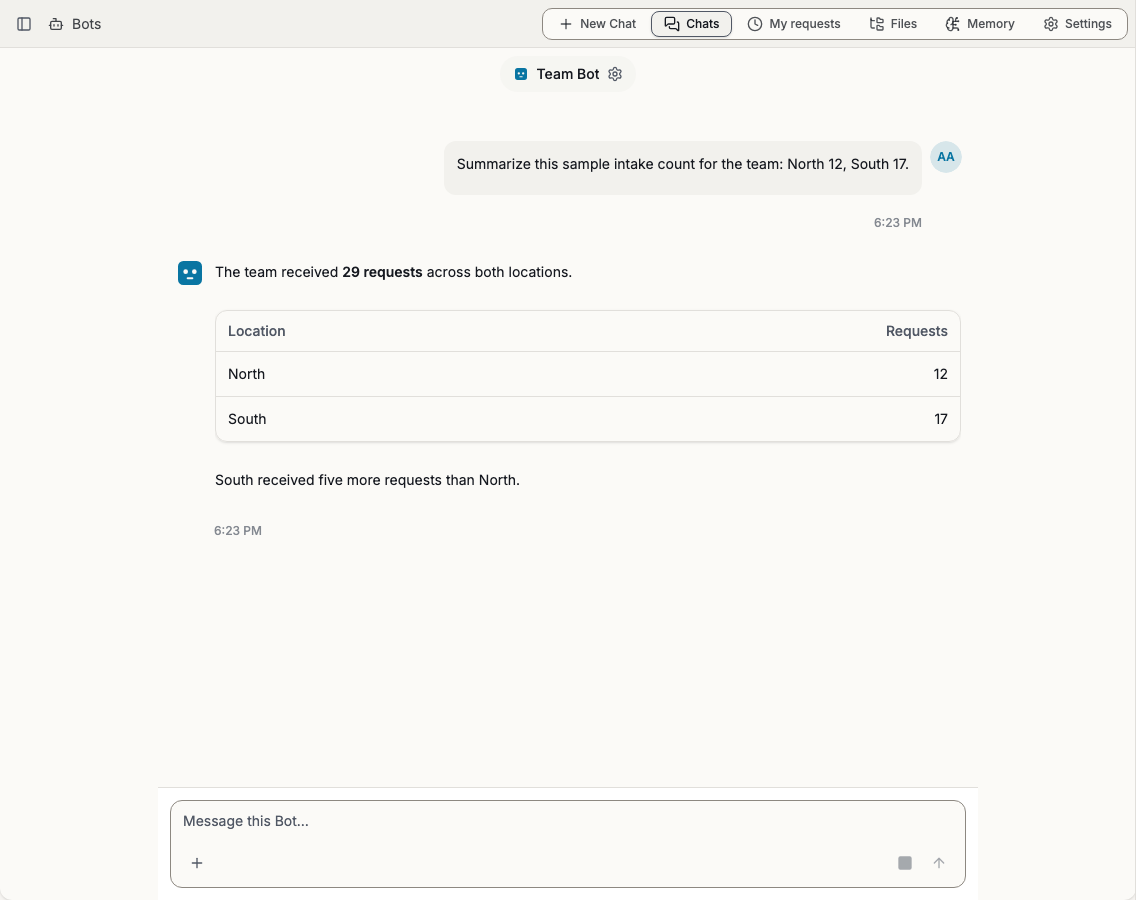
Our sample request counts are North 12 and South 17. Give me the total, the busier region, and the difference. Use only these figures.
-
Check the reply. The total is 29. South received 5 more requests than North.
-
In the same Chat, ask “Put those figures in a two-row table.” Check that the table uses the original regional counts. You can use the same Chat for corrections and follow-up questions.
Read a Workspace File
-
Choose a File you are allowed to read in a Workspace you use. Open it yourself and note its title and one detail that the Bot could find. A team checklist or a schedule works well for a first report.
-
Start a new private Chat. Replace the names in this example with your own:
In Training Workspace, read the File named “Launch checklist.” Summarize its first three action items and name the source. Leave the File unchanged.
-
If the Bot asks which Workspace you meant, select or name the correct Workspace. Compare its answer with the File. If several Files have the same title, tell it which one to use.
-
If the Bot cannot use the Workspace, select its name above the Chat. Ask an organization admin to check Workspace access in the sidebar. If the Workspace is already included, check that your own Workspace account can open that particular File. How Bot Workspace access works
To work with a document just for this Chat, use the attachment control next to the message field. Attach your example File, ask a question about it, and send the message. That upload supplies the document for your request. Access to other Workspace Files still depends on your permissions.
Next step
Start a background Job when you want to keep working while the Bot prepares a longer draft.